🖱️ Smart Touchscreen Productivity Mouse – Custom Shortcuts, Voice Input & Motion Controls

$45.98 USD
Limit: 1 item per order
TOUCHSCREEN PRODUCTIVITY MOUSE
A screen above the clicks. A shortcut for every job.
A 3.1-inch touchscreen sits on top of a precision mouse, bringing five control modes, voice dictation and gyroscope gestures to your fingertip. One device for editing, designing, coding and the daily grind.
Touchscreen productivity mouse in use
3.1"720 x 720 screen
90+languages voice
5screen modes
USB-Cwired power
Plug it in, set up your layouts, stop reaching for the keyboard.
AT A GLANCE
Is this the right mouse for your desk?
BEST FOREditors, designers, coders and anyone tired of keyboard shortcuts
LESS IDEALGaming or pure precision work that needs a high polling sensor
CONNECTIVITYWired USB-C, 5V 2A - no pairing or charging
SETUPCompanion desktop app for Windows and macOS
Being clear about the trade helps you decide if this mouse replaces the keyboard or just sits beside it.
THE SCREEN
Three inches that take over the work of a whole row of keys.
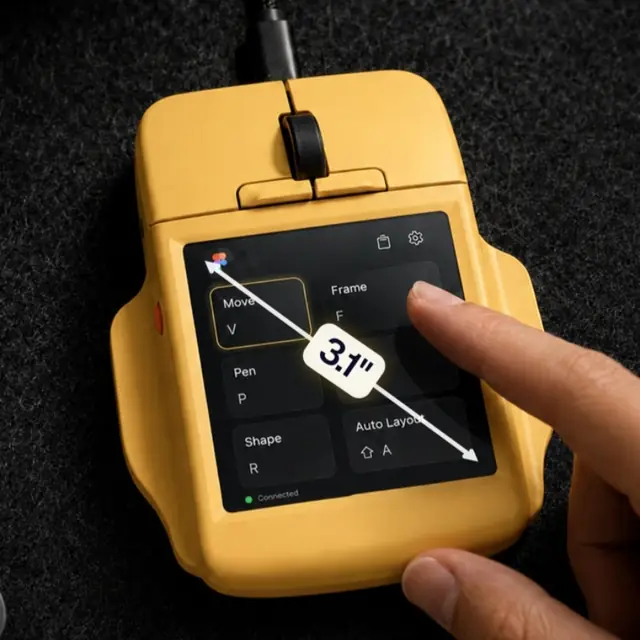
The 720 x 720 touchscreen is always on and always context-aware. You do not stop clicking to reach for it - it lives under your thumb.
3.1-inch 720x720 touchscreen mouse
3.1-inch 720 x 720 touchscreen on the precision body
3.1 inSCREEN SIZE
720x720RESOLUTION
5DISPLAY MODES
AutoAPP-AWARE
FIVE MODES
One screen, five ways to control the computer.
Switch the touchscreen between layouts depending on what you are doing. Each mode is a different tool, and the mouse remembers which one you used last.
Switching touchscreen control modes
Switching between touchscreen control modes
Control panel CUSTOM SHORTCUTS
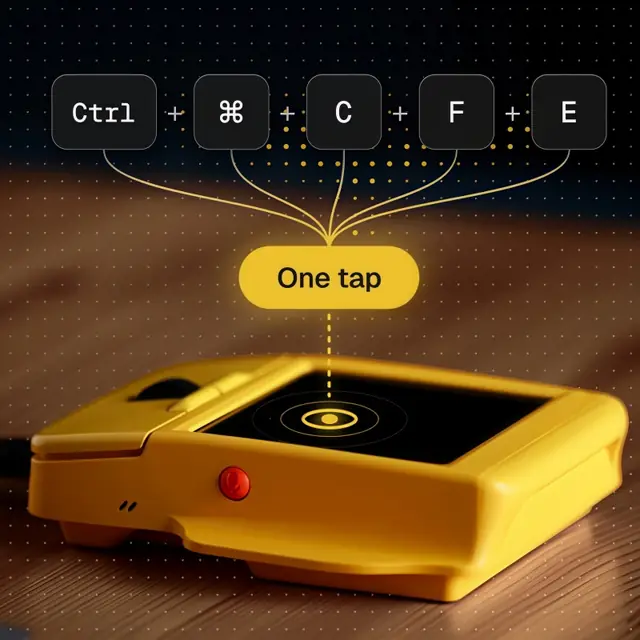
A grid of your own shortcuts. Each cell can be a single command, a keyboard combo or a multi-step macro. The mouse fills it with the shortcuts you actually use.
Single commands, combos and macros Arranged in a touch grid Rebuilds for the active app
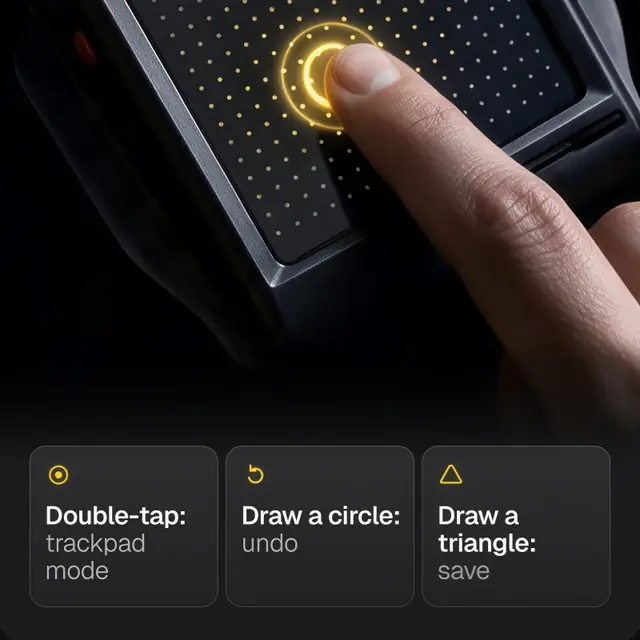
Multi-touch trackpad GESTURES
The screen becomes a trackpad. Scroll, swipe and zoom with the same fingers you already use on a laptop, without moving your hand to the desk.
Two-finger scroll and pinch zoom Swipe for back and forward No desk space required
Digital keyboard TEXT INPUT
Type on the on-screen keyboard or swipe letters together. Useful for search bars, passwords and short fields where reaching for the real keyboard feels like too much.
Full on-screen keyboard Swipe typing Works in any text field
Smart sliders PRECISE CONTROL
Adjust brightness, volume and other continuous settings with on-screen sliders instead of hunting for the right function key on a laptop that hides them.
Brightness and volume App-specific if you want it Always one tap away
Calendar AT A GLANCE
Your day stays on the screen while you work. Glance at the next meeting between tasks without opening the calendar app or pulling the phone out of a pocket.
Today and this week Stays visible at the corner of your eye No app switching
SAY IT, DO NOT TYPE IT
Voice dictation in more than ninety languages.
Two microphones listen while you talk. The speech is processed on the device and through the companion software, so dictation works without handing your words to a cloud service.
Voice input handled on the device
Voice input handled locally on the device
90+LANGUAGES
On-devicePROCESSING
2MICROPHONES
TalkINSTEAD OF TYPING
MOVE TO ACT
Tilt the mouse. Let the gyroscope do the work.
A built-in gyroscope turns motion into actions. Flick through slides, trigger assigned commands or drive supported media controls with a small movement of your wrist.
Gyroscope motion control in action
Presentations, media and shortcuts on a tilt
Move forward through a deck by tilting, jump back with the same gesture the other way, or map any motion to a command you use often. It is there when you need it and invisible when you do not.
TWO KEYS, ANY WORKFLOW
A keyboard in two physical buttons.
The two hyper keys sit where your thumb can reach them. Each one can fire a single command, a full shortcut, a macro or a multi-step workflow.
Productivity mouse with screen
Two programmable hyper keys within thumb reach
Work - meetings and writing KEY 1 / KEY 2
Key one opens the calendar view. Key two starts a focus timer so you can block time without leaving the document you are in.
Creative - design and editing KEY 1 / KEY 2
Key one toggles the on-screen sliders for brush size and opacity. Key two calls up the undo/redo macro you set for the app you are using.
Profiles live in the companion desktop app. Switch between them as you move from one kind of work to another.
MADE FOR THE WORK YOU ACTUALLY DO
Different jobs, same mouse.
The screen changes with the app you are in, so the shortcuts that matter are always the ones in front of you.
Editing, designing and coding on one device
EDITING
Timeline controls on the screen
Trim, split and play from the touchscreen while your other hand stays on the mouse. Less reaching for the keyboard between cuts.
DESIGN
Brush size in one tap
Smart sliders take over the values you adjust constantly, so brush size, opacity and zoom do not require a trip to the toolbar.
CODING
Your own build and debug macros
Bind run, test and comment actions to the hyper keys and stop memorising long keyboard combinations you only use three times a day.
ALREADY ORGANIZED
Calendar, launchers and a focus timer on the surface.
The companion desktop software extends the screen with tools you usually keep in a browser tab: your calendar, an app launcher, a focus timer and usage tracking that shows where your time goes.
Productivity tools on the mouse screen
Productivity tools shown on the mouse screen
THE SPEC SHEET
The numbers behind the screen.
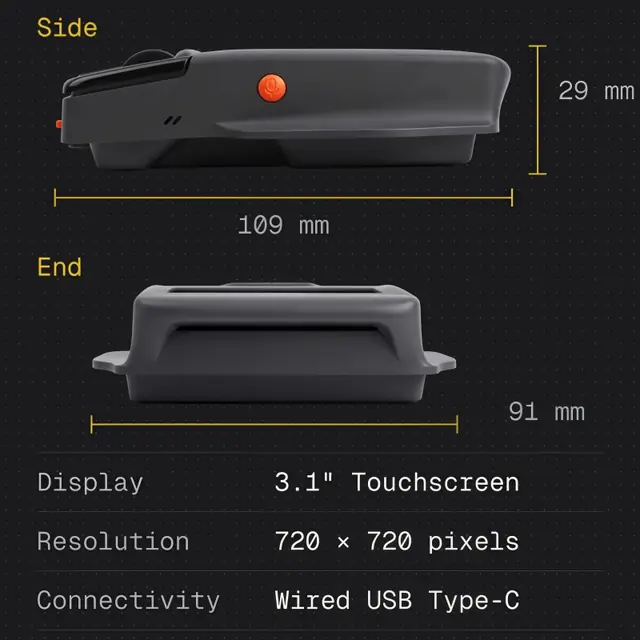
Product typeMultifunctional touchscreen mouse
Touchscreen3.1 inches, 720 x 720
Display modesPanel, trackpad, keyboard, sliders, calendar
Physical keysTwo programmable hyper keys
Motion controlBuilt-in gyroscope
Voice inputOn-device voice-to-text, 90+ languages
ConnectivityWired USB-C
SystemWindows and macOS
Power5V / 2A
Dimensions109 x 91 x 29 mm
REVIEWS
What daily use actually looks like.
4.6AVERAGE
92REVIEWS
88%RECOMMEND
12WITH PHOTOS
5 stars
 
64
4 stars
 
20
3 stars
 
5
2 stars
 
2
1 star
 
1
DMDana M.VERIFIED - 5 WEEKS


I edit videos all day and the touchscreen replaced three different keyboard combos I had to remember. Sliders for volume and brightness on the mouse itself sounds like a small thing until you stop reaching for the function keys.
LNLeo N.VERIFIED - 2 MONTHS


The calendar on the screen is the part I did not know I needed. I glance at the next meeting while I keep working, instead of tabbing to the calendar app every ten minutes.
RKRiya K.VERIFIED - 1 MONTH


Voice dictation works well enough that I stopped carrying a separate dictation device. Setup on macOS took a few minutes and the profiles switch cleanly between my design and writing work.
JBJonas B.VERIFIED - 3 WEEKS


Great idea and the screen is genuinely useful, but this is not a precision gaming mouse. If you need raw sensor performance for competitive play, look elsewhere.
TEAM REPLY Fair point, and thank you for being direct. This mouse is built around the screen and productivity controls, not high-end sensor speed. If you game, keep your gaming mouse for that and use this one for the work desk.
SCSam C.VERIFIED - 6 WEEKS


I code and the two hyper keys now handle run and comment actions. It took an evening to set up the macros and I have not looked back. Wired USB means no charging worries either.
QUESTIONS
Before you plug it in.
Does it need batteries or charging?
No. It is wired through USB-C and draws 5V 2A from the computer. Plug it in and it is on.
Can the touchscreen work as a normal trackpad?
Yes. Trackpad mode gives you two-finger scroll, swipe and pinch zoom on the screen itself, no desk space required.
How many languages does voice support?
More than 90. Speech is processed on the device and through the companion software rather than relying only on a cloud service.
Does it work with macOS?
Yes. The companion desktop application runs on both Windows and macOS, and the mouse works on both.
Can I have different layouts for each app?
Yes. The screen is app-aware, so the control layout changes with the active application, and you can build separate profiles for work and creative tasks.
Do I need the software for it to work?
The basic screen modes work out of the box. The companion desktop app unlocks custom layouts, profiles, macros and the full productivity tools.
IN THE BOX
Plug in and go.
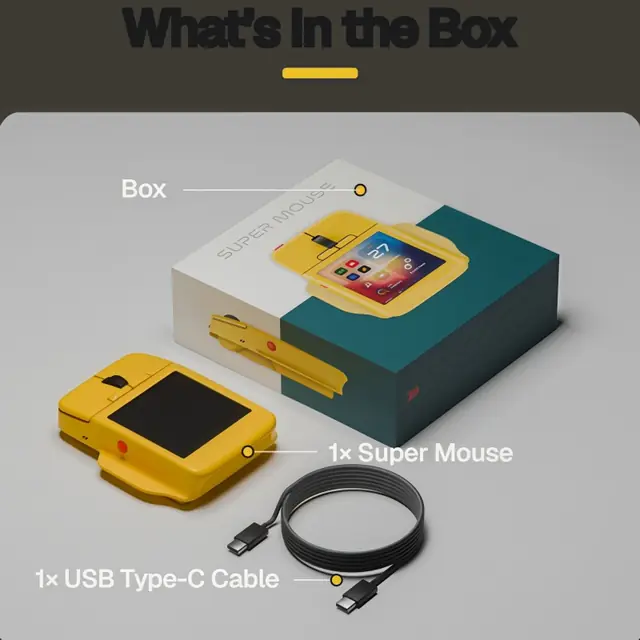
The mouse and the cable are all you need. Everything else runs through the companion desktop software.
Touchscreen mouse and USB-C cable
Touchscreen productivity mouse and USB-C cable
01Touchscreen productivity mouse
02USB-C connection cable
One screen, five modes, every shortcut you use.
A 3.1-inch touchscreen, two programmable keys, gyroscope motion and voice dictation - for the work you do from morning to evening.
Back to top MULTIFUNCTIONAL TOUCHSCREEN COMPUTER MOUSE

आपकी कार्ट

लोड हो रहा है